.png?width=201&height=201&name=Maintenance%20(Videoannonce%20%E2%80%93%20LinkedIn).png)

From Data to Direction: AI-Powered Training Insights in FlightLogger
Instructors don’t lack data. They lack time to make sense of it.
Debriefings, grading, lesson notes - the information is there.
But turning it into clear, actionable insight, fast enough to act, is where things break down.
This release is built to solve exactly that.
From debriefings to direction - automatically
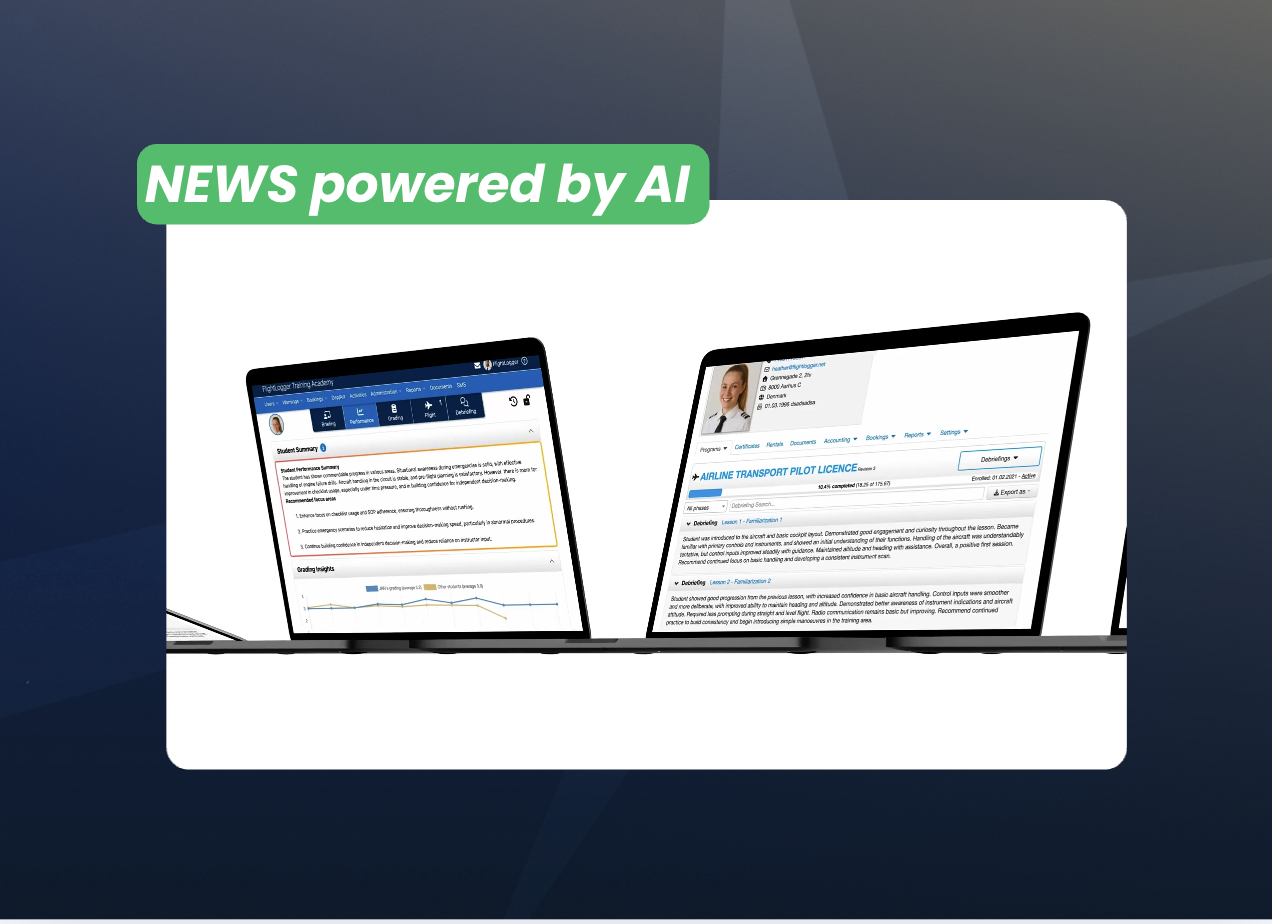
Instead of reading through multiple debriefings after each lesson, instructors now get a clear snapshot of performance, and what to focus on next.
With new AI-powered Student Summaries, FlightLogger analyzes recent lessons and generates:
- A concise overview of student performance
- Clear focus areas for the next session
Less time reviewing. More time preparing the next lesson.
It’s not about replacing instructor judgment. It’s about giving it a stronger, faster starting point based on real training data.
All summaries are generated within a secure, GDPR-compliant environment, ensuring that training data remains protected at all times. No training data is shared with external consumer AI services.
One place to understand performance
To support this, we’ve restructured how performance is presented inside FlightLogger.
The new Performance tab brings everything together:
- AI summaries
- Grading insights
- CBTA analysis
No switching between views. No piecing information together.
Just one clear place to understand how a student is progressing when it matters.
See the full training story - without the work
Understanding a student isn’t just about the last lesson. It’s about the pattern over time.
With the new Debriefings Overview, you can:
- Review feedback across all completed lessons
- Search and filter by phase or lesson
- Quickly revisit key training notes
Because understanding progress shouldn’t depend on digging through individual entries.
Performance, in context
Grading becomes more useful when it’s easier to interpret.
With improved Grading Insights, you can now see:
- How a student is developing over time
- How they compare to peers
- Where extra attention is needed
Not just data points - but patterns you can act on.
Built for real training environments
Training environments are busy. Time is limited. Documentation doesn’t always happen in perfect sequence.
With Partially Completed Lessons, instructors can:
- Register flights immediately
- Complete grading and comments later
This ensures that flight logs are recorded right after the lesson - helping maintain compliance with aircraft maintenance requirements and avoiding gaps in registration when aircraft are handed over.
At the same time, instructors still have the flexibility to complete evaluations later, without compromising quality.
Less friction. More control.
Alongside these changes, we’ve made a series of improvements across the platform:
- Clearer visibility into user permissions
- A more unified “Action Required” workflow
- Greater consistency across training and operational views
Small changes on the surface but meaningful improvements in daily use.
What this actually changes
This isn’t just a feature update.
It’s a shift in how FlightLogger supports training operations:
- From reviewing data → to understanding it instantly
- From fragmented insights → to one clear overview
- From manual interpretation → to guided direction
FlightLogger is no longer just where your training data lives.
It’s where instructors understand it, and act on it, while it still matters.
It’s where data becomes clear, actionable, and ready to use.
For full technical details and setup instructions, read the release notes here.
Want a walkthrough?
Request a walkthrough or reach out to your FlightLogger contact to learn more.